Help center / Settlements & statements
Setting up deduction rules
Commissions, cleaning fees and OTA costs as an ordered waterfall.
For operators · 5 min read
Deductions are defined as rules that run in order against each reservation. This makes every settlement transparent and reproducible.
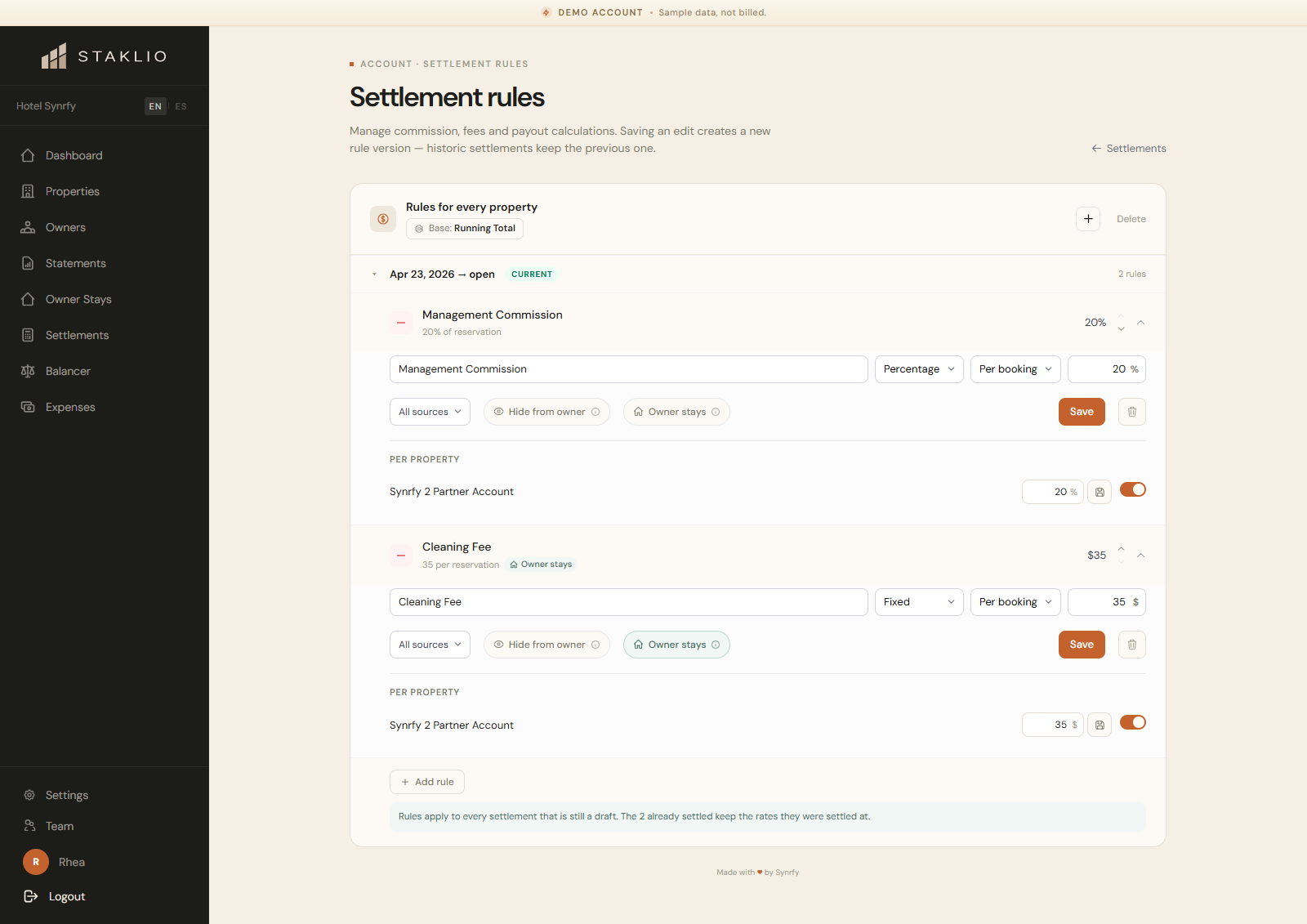
Each rule has
- •A type — percentage (e.g. 15% management, 12% OTA) or fixed (e.g. €45 housekeeping).
- •An application — per reservation or per night.
- •A scope — account-wide, per property, or per owner. The most specific scope wins.
- •A flag for whether it applies to owner stays.
- •An effective date range, so historic settlements stay frozen when you change rules.
- •An order number, controlling where it sits in the waterfall.
The waterfall
Rules apply in order. In running-total mode each rule applies to the result of the previous one. For example: gross €1,000 → 20% commission −€200 → €800 → fixed €35 cleaning −€35 → €765 net.
Where do I edit rules?
Under Settlements → Rules. You can set account-level rules and override them per property or per owner.
Will changing a rule alter past settlements?
No. Effective date ranges keep already-generated settlements immutable; new rules apply going forward.